Soleaf

For iPhone and Android

Work out what your plant wants.

Take a photo. Soleaf tells you what species it is, how it’s doing and what to do now. Then it keeps track for you: water, feed, repot.

Coming soon toApp StoreComing soon toGoogle Play

Free with 3 analyses a month. No card needed.

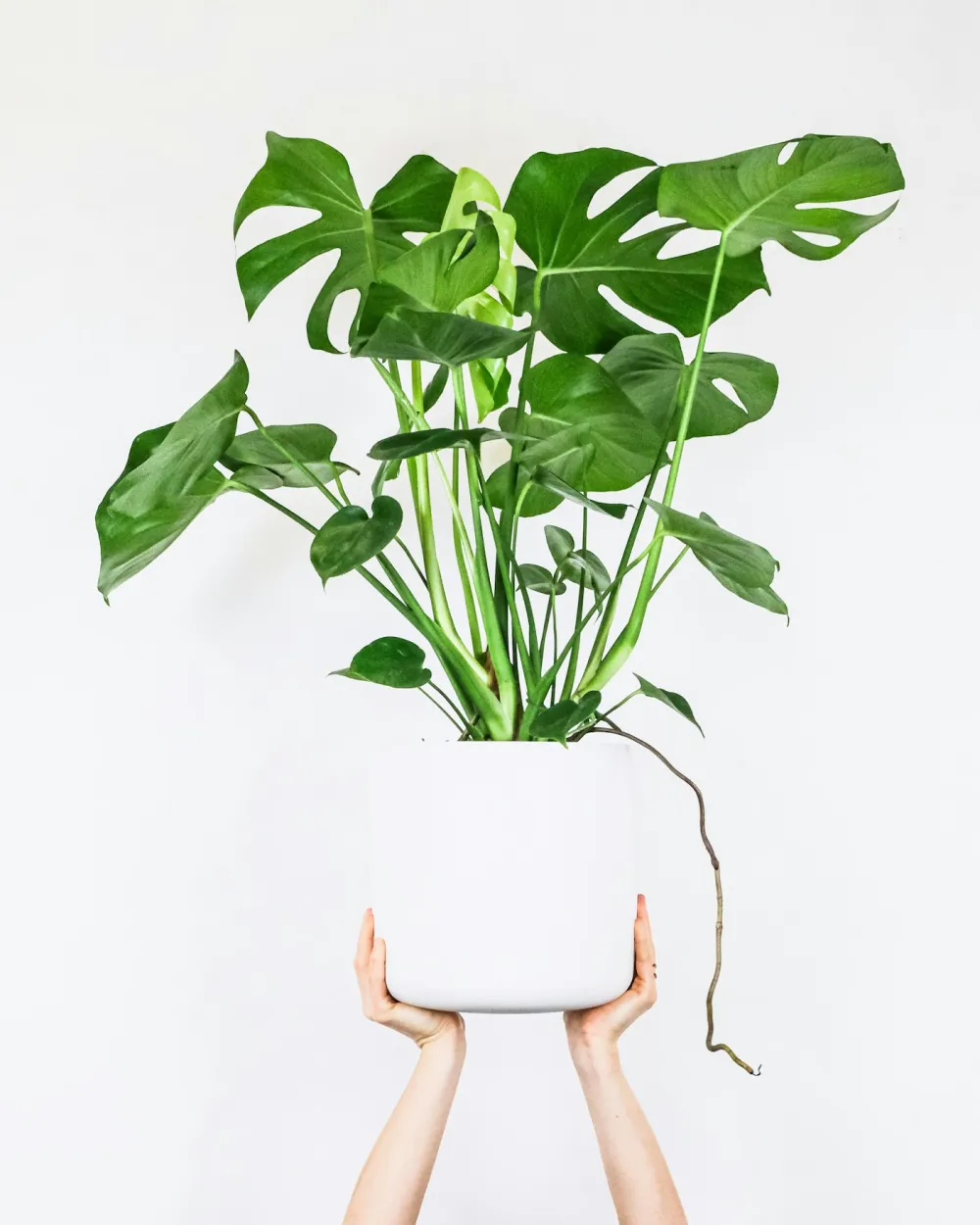
Monstera deliciosa

Monstera deliciosa

Setting
Indoor
Light
Bright, indirect
Health
Excellent
Caution
Toxic to dogs, cats and children
Soleaf
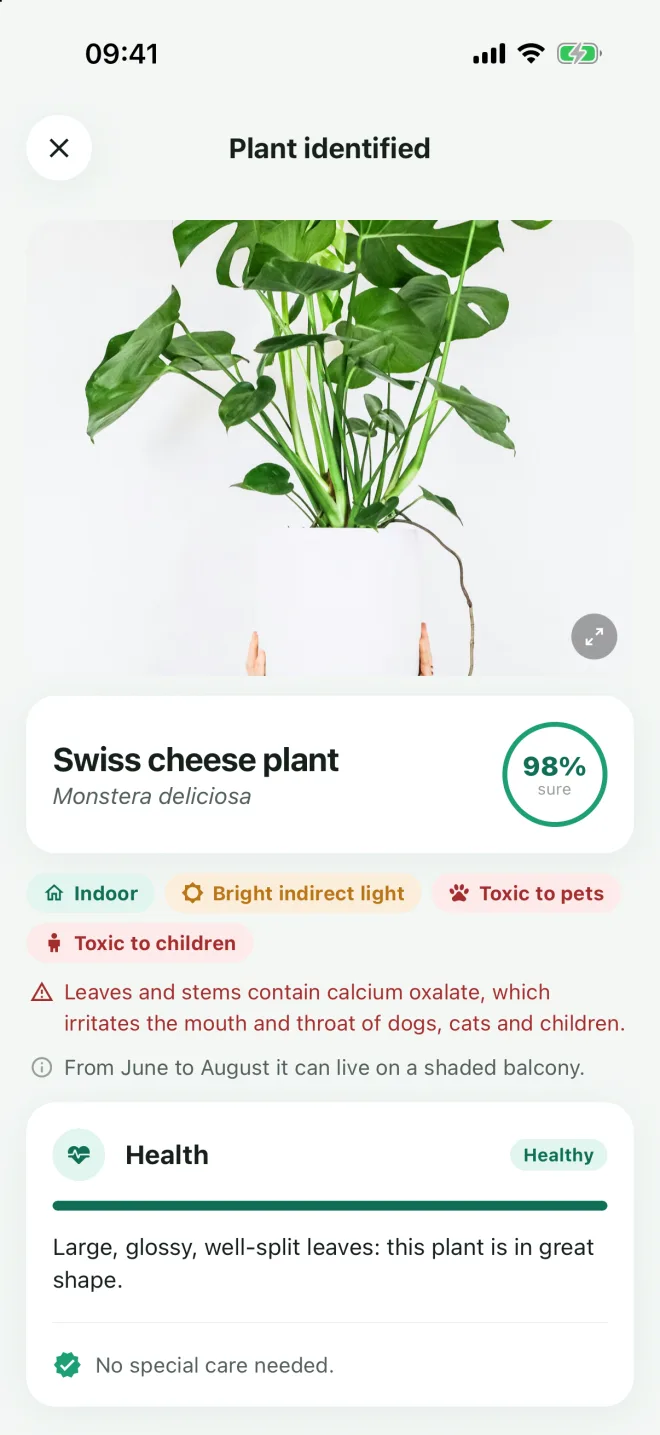
Fig. 1 — What Soleaf reads in one photo.

Three steps, then it takes over

  1. Photograph the plant

    A photo from your phone is enough. Even at the garden centre, before you buy it.

  2. Read the sheet

    Name, health, visible problems and what to do first. Plus toxicity for pets and children.

  3. Wait for the reminder

    One summary a day, at 6:30 pm, with whatever needs doing. If nothing does, it stays quiet.

What it is, and how it’s doing
Fig. 2 — The sheet, a few seconds after the photo.

Identification

What it is, and how it’s doing

Soleaf identifies the species from a photo and looks at the leaves the way a nursery grower would: spots, pests, soil that’s too wet. If it finds something it tells you in order of urgency, without the drama.

  • Common and scientific name
  • Visible problems and pests
  • Toxicity for dogs, cats and children
You know what to do today
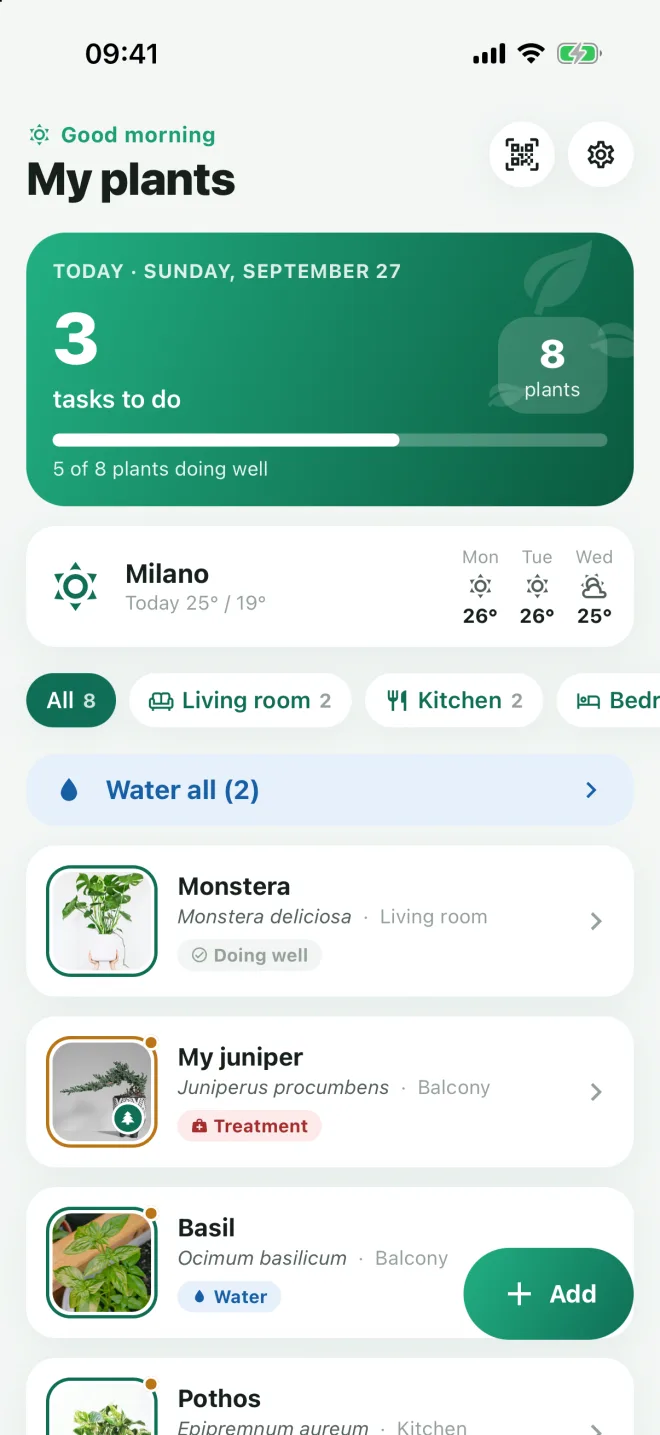
Fig. 3 — The day, plant by plant.

Reminders

You know what to do today

The home screen is a to-do list: who needs water, who needs feeding, who is finishing a treatment. For plants on the balcony it checks the weather too: if rain is coming, watering can wait.

  • One summary a day, not ten notifications
  • Rooms: indoors, balcony, garden
  • Alerts for rain, heat and frost
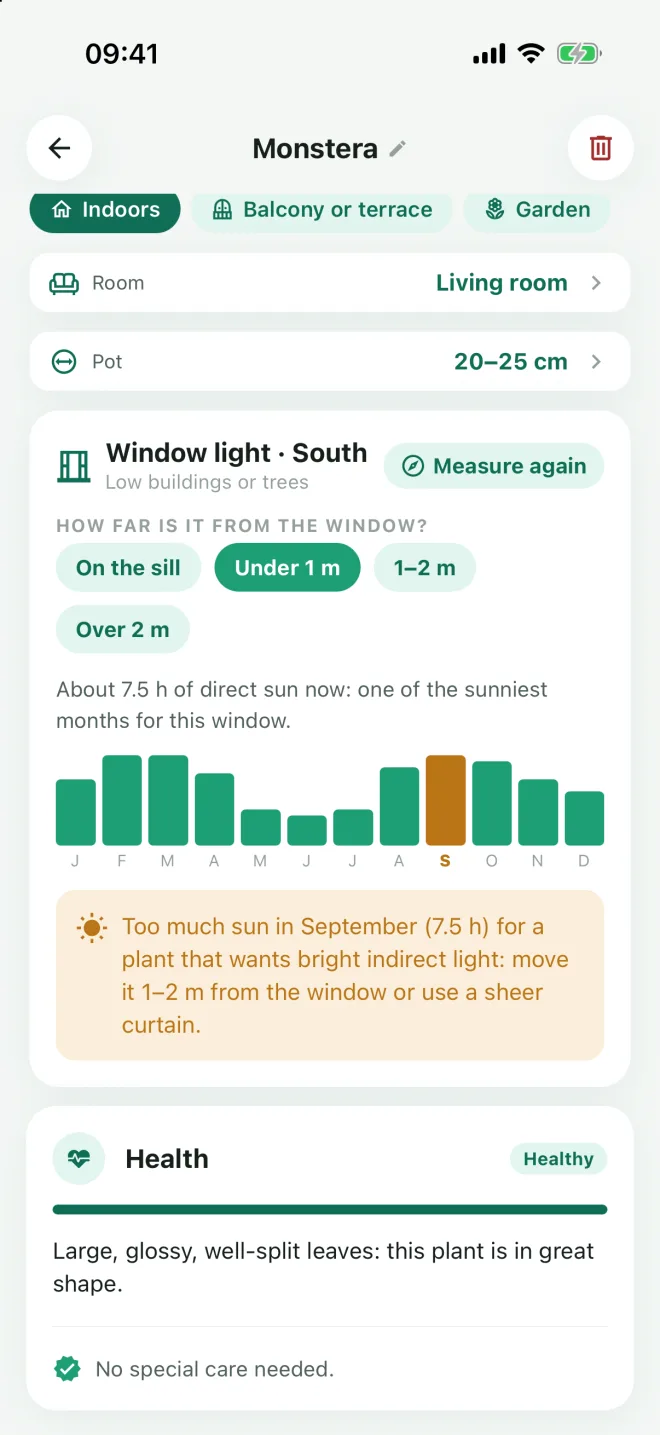
How much light that window really gets
Fig. 4 — A south-facing window in September.

Light

How much light that window really gets

Hold your phone against the glass and Soleaf measures which way it faces. From there it works out the hours of direct sun, month by month, and tells you whether that spot suits that plant or will scorch it in July.

  • Hours of direct sun for every month
  • Distance from the window counts too
  • Works for balconies and terraces
When something’s wrong, a plan
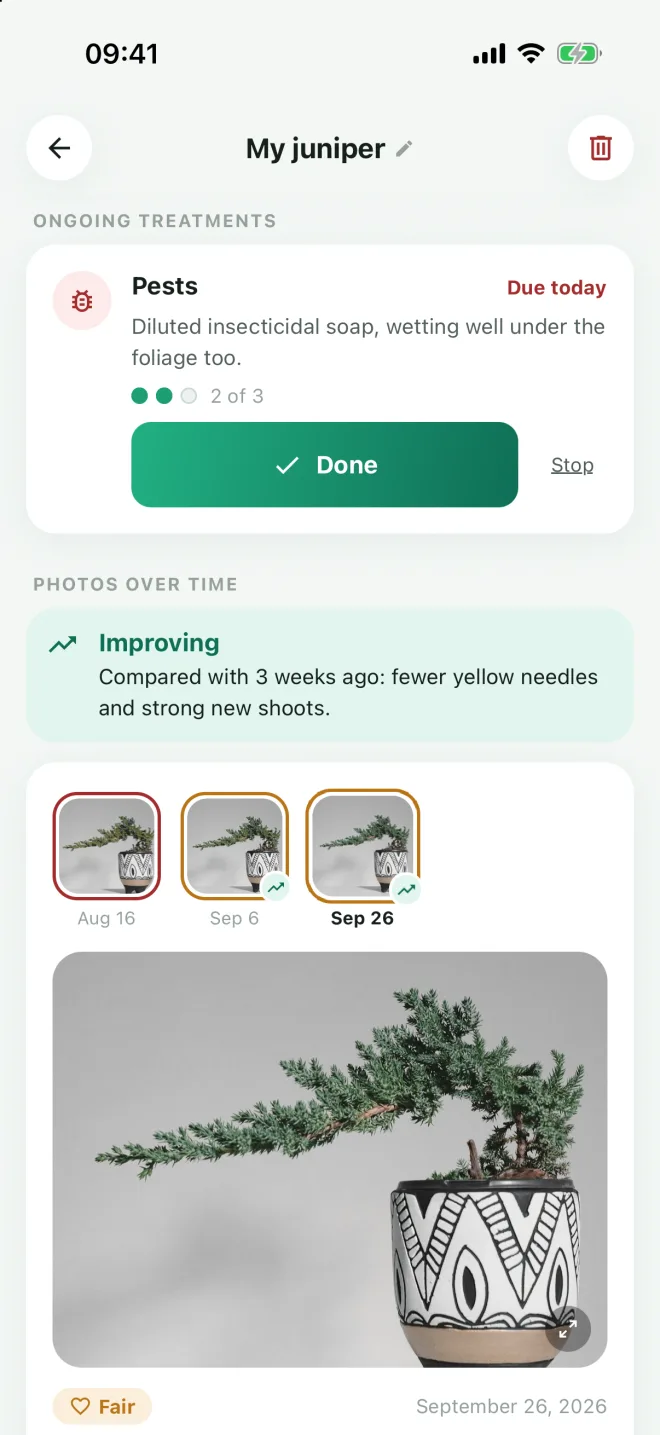
Fig. 5 — A juniper, three weeks into treatment.

Treatment Premium

When something’s wrong, a plan

After a diagnosis Soleaf sets out the treatment: what to apply, how often, how many times. A few weeks later it asks for a new photo and compares it with the first, so you can see whether things are improving.

  • Treatments with reminders, one at a time
  • Photos over time, side by side
  • Quarantine for contagious pests

And then the small things

The ones that don’t fit in a screenshot, but that you use every day after a month.

How much water
Not just “water it”: how many millilitres, based on the pot diameter.
QR labels
Print a sheet of labels and stick them on the pots. Scan the code and the right plant opens.
A sheet for the plant sitter
Going away? A PDF with what to water and when, to leave with whoever drops by.
Holiday mode
Reminders pause when you leave and pick up again when you’re back.
Cuttings
Follow a cutting in water or in soil. It takes the parent plant’s sheet, without using an analysis.
Bonsai
Pinching, wiring and repotting meant for a bonsai, not for the same species in a big pot.
Pruning guide
Step by step, for your species: what to cut, where and when. With Premium.
On all your devices
Sign in with Apple or Google and your plants are there on your new phone too.

What Soleaf doesn’t do

Free, or Premium

The free plan doesn’t expire and doesn’t ask for a card. Premium is for people with lots of plants, or who’d rather not see ads.

Free

€0 forever

  • 3 analyses a month, new plants and health checks combined
  • Unlimited plants, rooms and reminders
  • Weather, window compass, QR labels, cuttings
  • With ads

Premium

€4.99 a month

or €29.99 a year

  • Unlimited analyses, and more accurate ones
  • No ads
  • Reminders that learn from your answers
  • A treatment plan after every diagnosis
  • Photos over time and the pruning guide
  • Notification buttons: log care without opening the app

7-day free trial when the store offers it. The subscription renews automatically and you can cancel any time in your store settings. “Unlimited” means personal use: up to 50 analyses a day. Prices may vary by country.

Your photos stay yours

To identify a plant, the photo is sent to an external artificial intelligence provider, only to be analysed. Which one, and on what terms, is in the privacy policy. We don’t use your photos to train models and we don’t sell your data.

  • For the weather, a city or an approximate location is enough
  • You can delete your account and data in the app, under Settings
  • This site uses no cookies and no tracking tools

Read the full privacy policy

Questions

When is it out?

Soon, on the App Store and Google Play. We’re finishing the last round of testing.

Which plants does it recognise?

Houseplants, balcony plants, kitchen-garden and garden plants, bonsai included. If the photo doesn’t show a plant, or it isn’t recognised, that analysis doesn’t count (up to 3 times a month).

Can I use it without subscribing?

Yes. The free plan has 3 analyses a month and all the basic features, with ads. Your saved plants stay there, with no cap on how many.

How do I cancel Premium?

In your account settings on the App Store or Google Play, at any time. It stays active until the end of the period you’ve already paid for.

What languages is it in?

Italian, English, Spanish, French, German and Brazilian Portuguese. It follows your phone’s language, and you can change it in Settings.

How do I delete my account?

In the app: Settings, then Delete account. It removes plants, photos and data from your phone and from our servers. If you can’t sign in, write to us and we’ll do it for you.

Need a hand?

Write to us. There’s no call centre behind Soleaf: the person who built it replies.

Email gabrieleruiz.dev@gmail.com